- Full unrestricted access to all chambers
- Create, revise, and archive SOPs (Scrolls)
- Add, edit, and deactivate employees (Knights)
- Assign training records (Trials) to any Knight
- View and export the Eternal Ledger (Audit Trail)
- Override, void, and waive training records
- Unlock accounts locked by failed login attempts
- Reset passwords for any Knight
- Provision modules per instance, role, department, or knight (the Gatehouse)
- Read the whole Wellspring laboratory current without crossing the segregation that keeps each hand accountable
The Knight's Codex
Laws, Rites & Ways of the Sanctum
14 sections
I. The Sanctum – What Is This?
"Every scroll read, every seal pressed – the forest remembers."
SanctumQMS is the pharmaceutical GMP training management system for VRL Unit I. It tracks every employee's training on Standard Operating Procedures, enforces compliance deadlines, collects electronic signatures under 21 CFR Part 11, and maintains a permanent, immutable audit trail.
The system is presented through the metaphor of a medieval living world – the Sanctum – because compliance is the collective act of a community maintaining the integrity of the medicines they make. Every SOP is a Scroll of Law. Every training is a Trial of the Order. Every completed record is a stone added to the wall of a fortress that protects patients.
The visual metaphor makes the QMS state visible and legible at a glance: a world full of bright fireflies means your team is trained and ready. Red-lit standing stones mean trials are overdue – audit readiness is at risk. The Eternal Ledger remembers everything – every action, every timestamp, every signature – forever.
The world operates on a SimCity principle: real work causes permanent, visible change. Adding a new SOP immediately raises a standing stone in the sanctum. Completing a training brightens a firefly. An overdue record dims the stone red. The world is not a skin over a spreadsheet – it is the spreadsheet, made tangible. Your personal sanctum also reflects your company, your department, and your compliance status specifically.
II. Your Role in the Sanctum
"Know your station. Every knight serves differently."
- Full access equivalent to Lord for day-to-day QMS operations
- Create, revise, and manage all SOPs
- Assign training to any employee in any department
- View the complete Audit Trail and compliance reports
- Manage employee records and training assignments
- Approve, verify, and close quality records — breaches, vows, decrees & complaints (dual seals)
- Apply the Royal Seal to approve Wellspring results and issue the Certificate of Analysis — the third, distinct approver in the segregation chain
- Cannot override the Lord's administrative actions
Knight Commander is a full peer role, not a subset of this one – see its own card below for exact capabilities.
- Assign training records (Trials) to any Knight
- Create, revise, and manage SOPs (Scrolls) and Training Modules
- Configure the training matrix (retraining rules by role & SOP)
- View the complete Eternal Ledger (Audit Trail)
- Log and process quality events — breaches, vows, decrees & complaints
- Distribute samples to analyst benches and perform the independent second read on THE RAIL — a distinct person from whoever entered the result
- Sign your own Trials with electronic signature
- Cannot admit or deactivate Knights, reset passwords, or void records – Lord and High Steward only
- View your own assigned Trials (training records)
- Read SOP documents linked to your Trials
- Complete training and provide electronic signature
- Check your personal compliance status (Plant Score) via the bottom-right health hero
- Receive Raven notifications for new and overdue Trials
- Complete quality actions assigned to you via the Duty Board
- If provisioned into the QC realm: read the approved STP at your bench and record each observation once, the moment it is taken
- Cannot view other employees' records or the Audit Trail
- Read-only access to all records across all Knights
- View complete training history for every employee
- View all SOPs and their version histories
- View full compliance matrix and sanctum health statistics
- Observe each Sample's complete, attributable Wellspring journey without taking a laboratory act
- Cannot sign, assign, create, modify, or delete any record
- Ideal for internal and regulatory audit inspections
III. Entering the Sanctum
"The gates open only to those who carry a valid seal."
After 5 consecutive failed login attempts, your account will be automatically locked. You cannot unlock it yourself. Contact the LORD (Akshansh Chaudhary) or HIGH STEWARD (Gaurav Kumar Singh) to restore access. Account lock events are recorded in the Eternal Ledger.
IV-B. Your Personal Sanctum
"The forest knows who you are. It wears the colours of your house."
Every Knight's world is uniquely theirs. The environment adapts to your identity in two ways:
Around the Guardian Tree stands a ring of stones – one for each active SOP in the system. For Guards and Heralds, each stone is colour-coded to show your personal training status on that SOP:
For Lords and High Stewards, stones instead show company-wide module coverage – greener means more employees trained, grey means no module exists yet.
The aurora that lights the night sky tints to the colour of your department:
V. Trials of the Order – Training Workflow
"A Trial begun is a bond made. A Trial sealed is a law upheld."
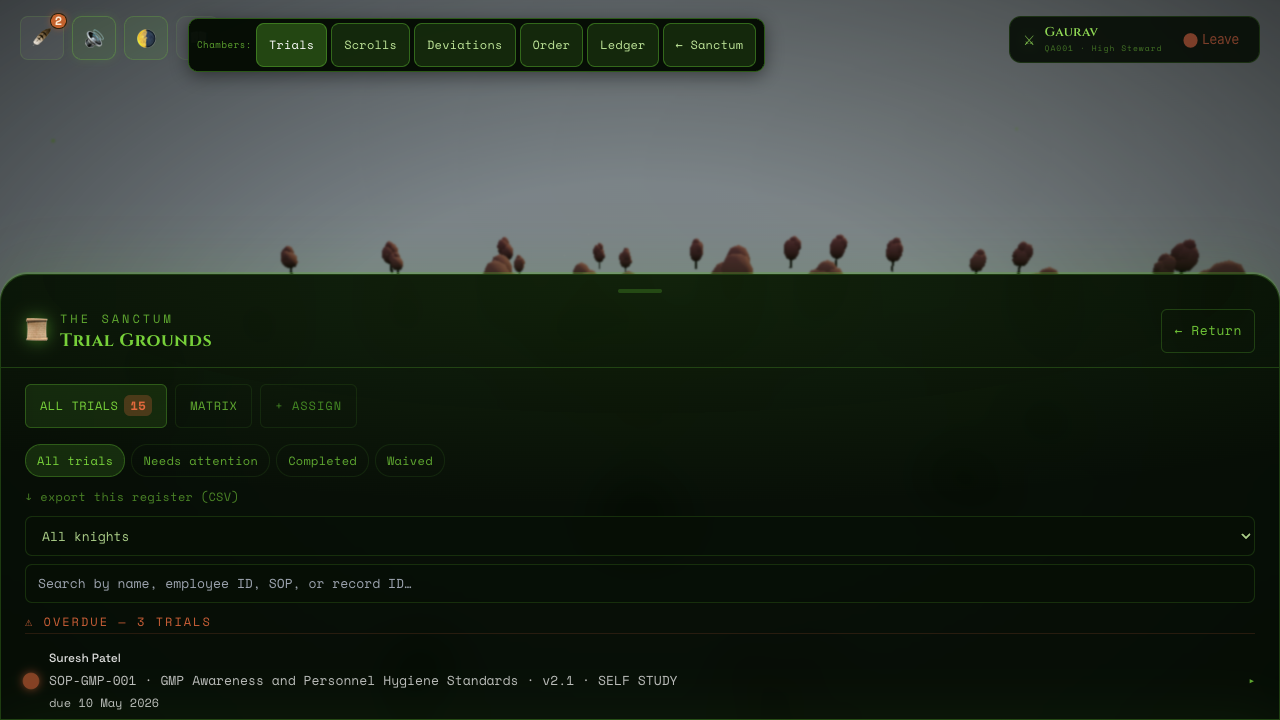
From the Trial Grounds chamber, open the + ASSIGN tab. Choose the employee (Knight), the SOP (Scroll), a due date, and the training type. Save to create the record. The system logs this action to the Eternal Ledger immediately. Lords, High Stewards, and Knight Commanders can assign.
The employee receives a Raven notification (bell icon, top-left of the HUD). The notification states which Trial has been assigned, the SOP name, and the due date. The employee's Plant Score starts a countdown.
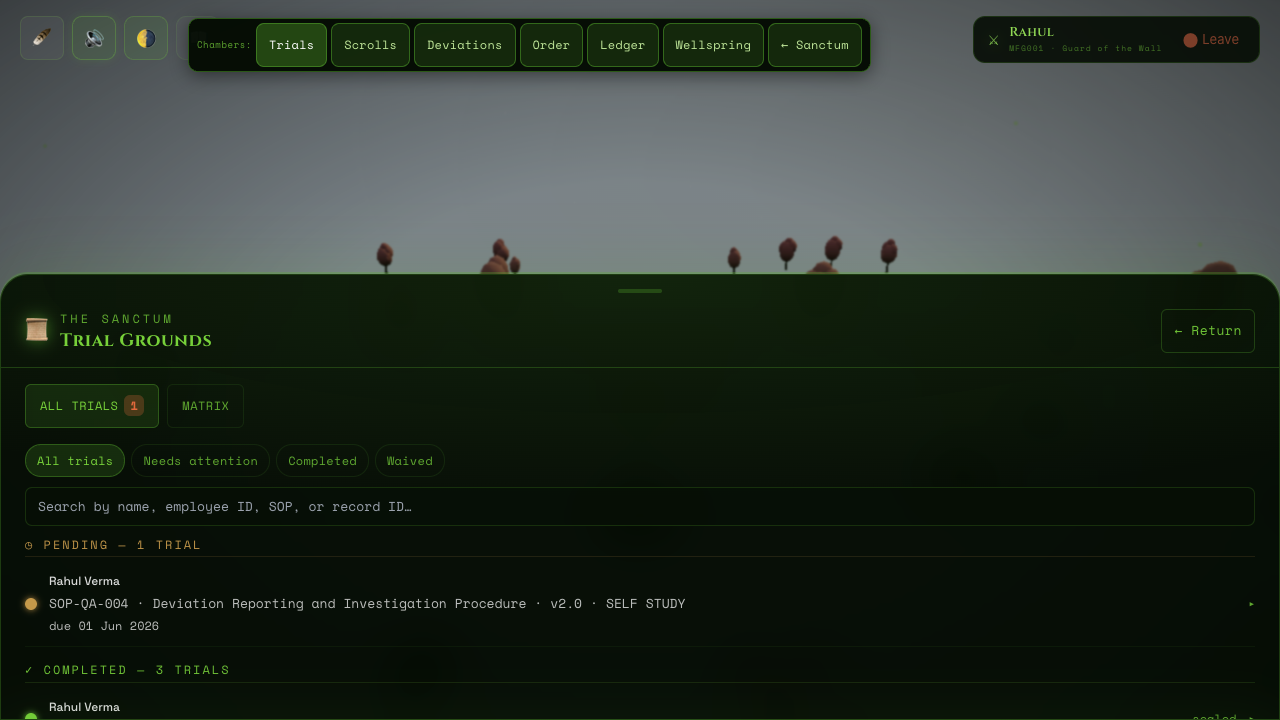
The employee opens their Trial from the Trial Grounds. They read the linked SOP document. If the SOP includes an interactive Training Module – lessons and multiple-choice assessments – they work through it before signing.
To mark the Trial complete, the employee re-enters their Secret Phrase. This is the 21 CFR Part 11 electronic signature. It confirms: 'I have read and understood this document. I am who I claim to be.' The system records the timestamp, employee ID, and IP address.
The Trial status changes to COMPLETED. The record is now permanently locked – it cannot be edited, deleted, or back-dated. The Eternal Ledger records the completion. The employee's Plant Score increases. One more firefly joins the forest.
If the due date passes without a completed signature, the Trial status becomes OVERDUE. The stone in the sanctum glows red. The employee and their manager receive urgent Raven notifications. The Plant Score decreases. Overdue status impacts audit readiness.


VI. The Scrolls – SOP Management
"Each scroll carries the law. When the law changes, new scrolls are written."
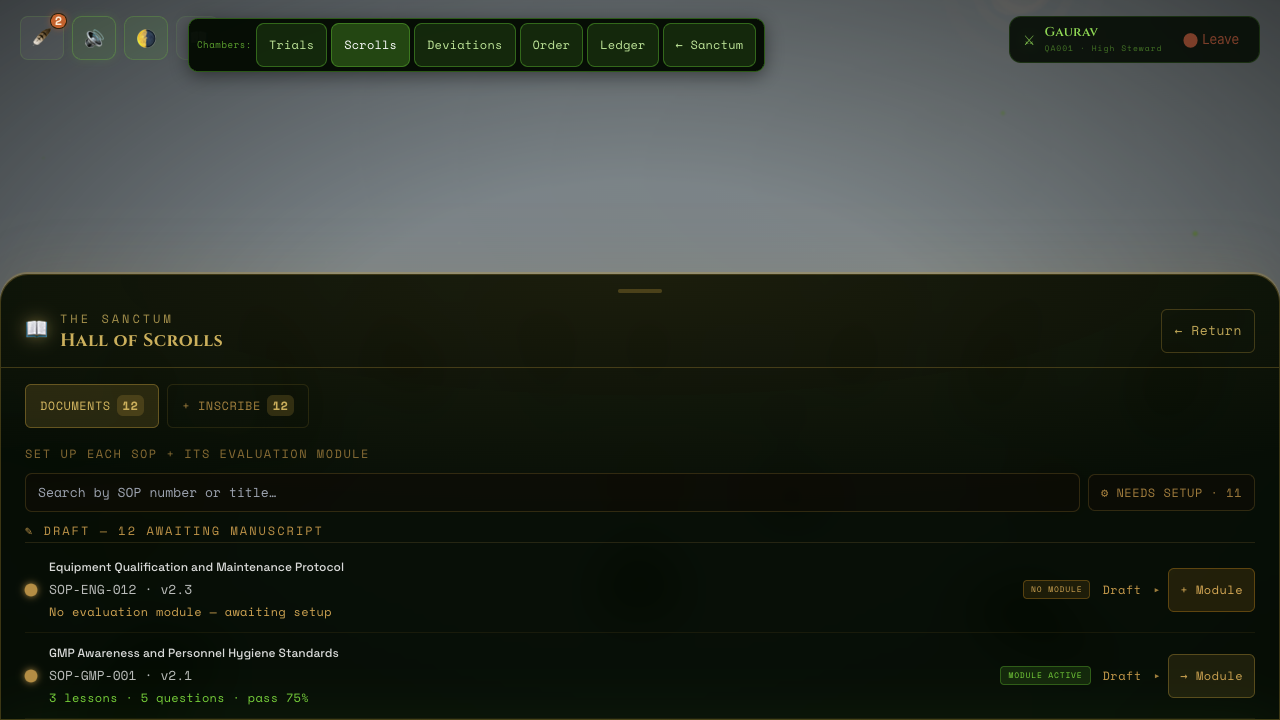
Standard Operating Procedures are Scrolls in the Sanctum. They live in the Hall of Scrolls. Each Scroll has a unique SOP number, a title, a version number, an effective date, and a linked Training Module.
Lords, High Stewards, and Knight Commanders can create new SOPs from the Hall of Scrolls. Provide the SOP number (e.g. SOP-QA-001), the title, version (e.g. 1.0), and the effective date. The system assigns a unique internal ID and records the creation in the Eternal Ledger.
When an SOP is updated, a new version is created (e.g. 1.1, 2.0). The previous version is marked as SUPERSEDED. All Knights with active Trials linked to the old version are notified by Raven. New Trials can be auto-assigned for the revised SOP to ensure everyone is retrained on the updated procedure.
Each SOP can have an interactive Training Module attached – a sequence of lesson pages followed by multiple-choice questions. The assessment score is recorded alongside the Trial. This satisfies requirements for assessed training types.
SOP version history is never deleted. All versions – current and superseded – remain accessible in the Hall of Scrolls. Completed Trials always reference the specific SOP version that was active at the time of training. This satisfies GMP audit requirements for document traceability.

VI-B. The Quality Rounds
"Something breaks. The Sanctum investigates, vows, changes, and watches — only then does the forest fully heal."
Beyond training, the Sanctum runs the site's quality system as one connected loop. Every record is born from the one before it — pre-filled, never a blank form — and every serious moment is sealed with an electronic signature. You are only ever asked to type what only a human knows.
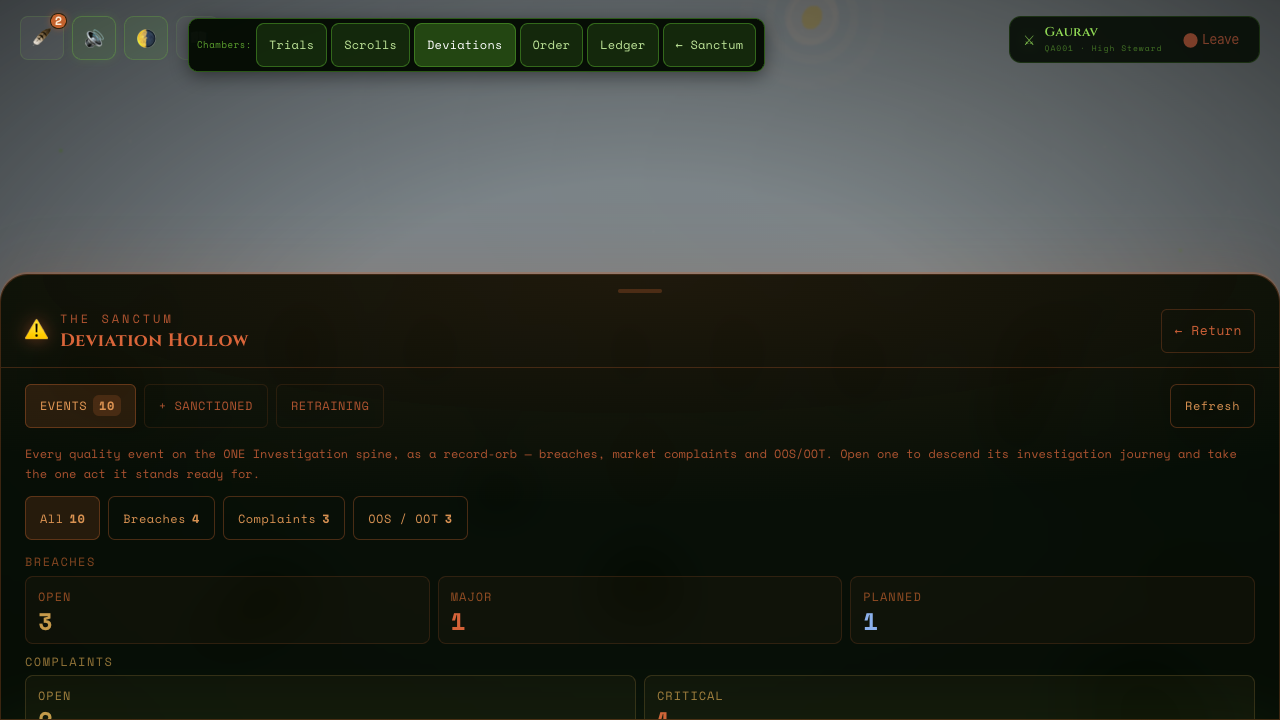
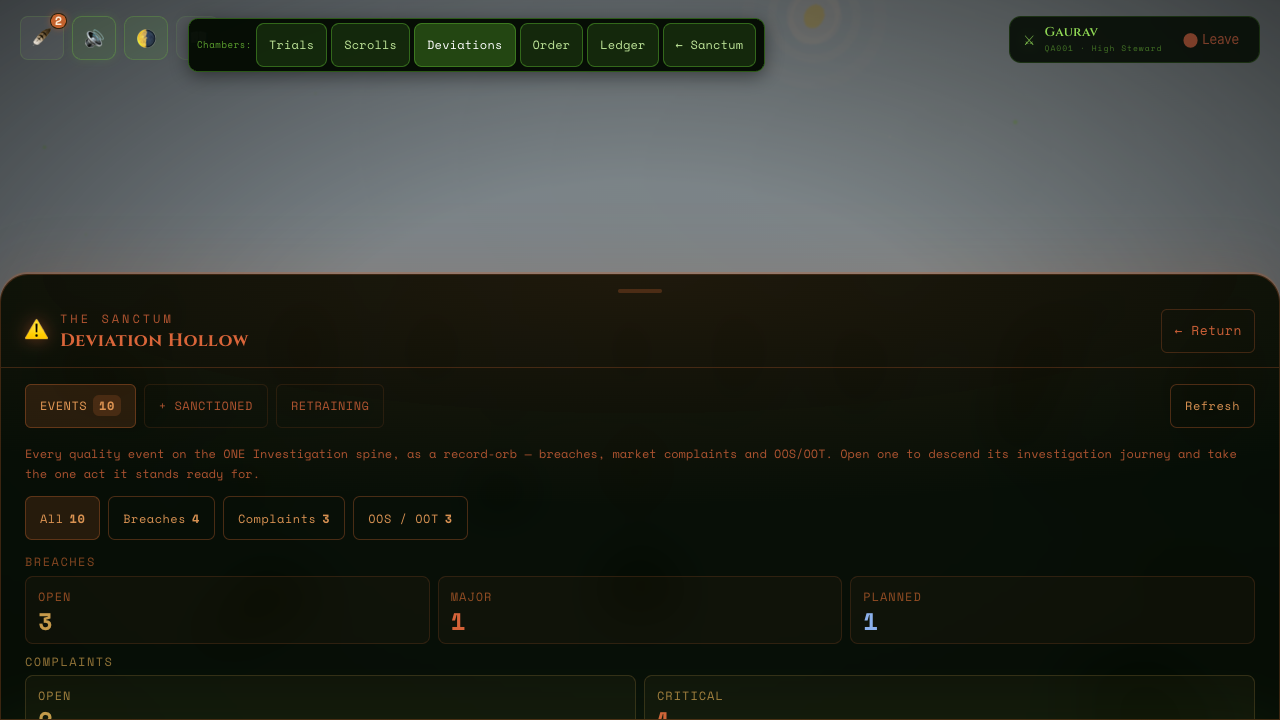
Report it as a breach: speak it into the Breach Orb with a photo, or log it in the Deviation Hollow. QA categorizes it as Critical, Major, or Minor — that seal mints the official number and starts the clocks — an investigation finds the root cause, and closure is sealed by the Department Head and QA together. A planned, pre-approved exception enters as a Sanctioned Breach instead.
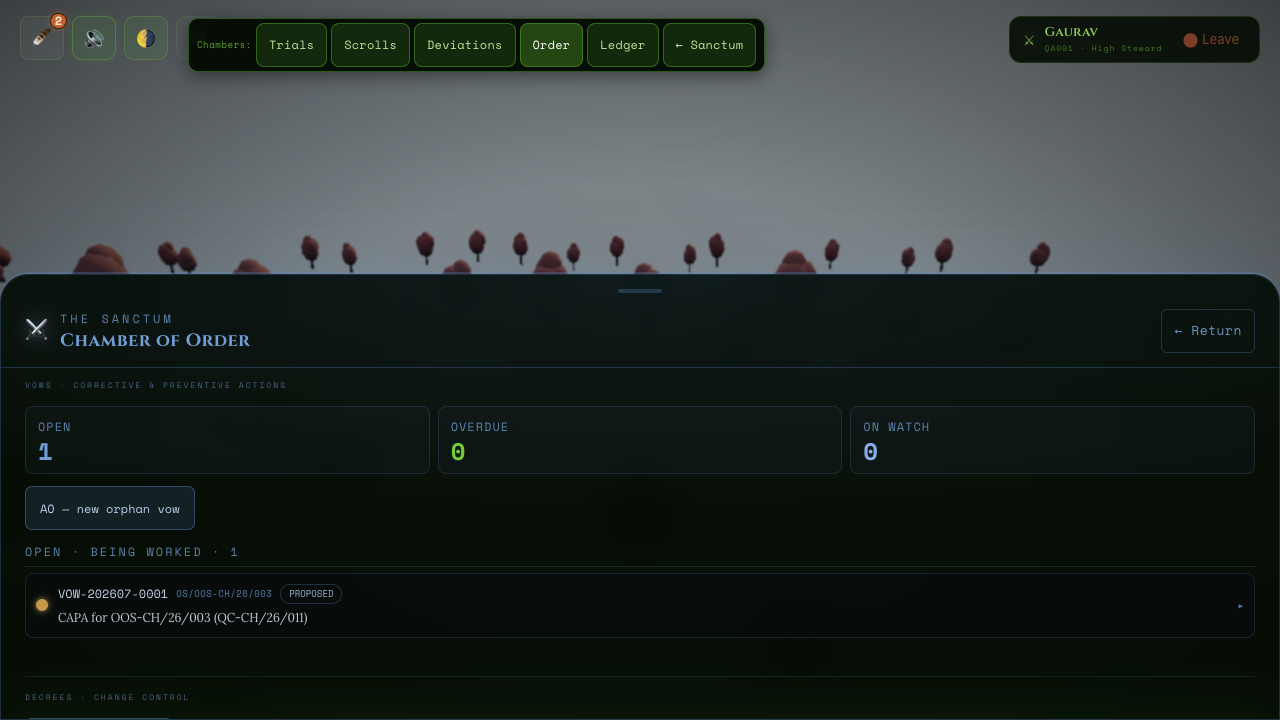
When a verdict says “fix the cause”, a Vow is born pre-filled from its source. A mending action (corrective) heals what broke; a warding action (preventive) guards against what might. The Department Head and High Steward approve the plan with a dual seal — each action lands on its owner’s Duty Board with a 30-working-day candle — the Department Head certifies completion, QA verifies with evidence, and for serious sources an Effectiveness Watch proves the fix actually held. A failed watch never closes quietly: the vow loops back for a new plan.
Propose the change; every affected department’s head endorses it under their own seal. Where customers or authorities must be consulted, their counsel runs on silence clocks — customer 3 days, authority 30 — and silence is approval, recorded as such. Dual-seal approval mints the number and starts a 90-day implementation clock. The decree carries its own retraining: it cannot close until the flagged scroll’s training is complete, and a vow linked to a decree cannot close until the decree does.
Complaints arrive through a tokenized public link that QA mints and can revoke at any time — the complainant describes the problem with an optional photo and voice note, and is never given an account. The Sanctum acknowledges within 24 hours, classifies severity (7 / 15 / 30-day investigation clocks; health-impact cases add a 72-hour regulatory clock), and keeps any returned sample in the vault under chain of custody. The reply letter is sealed by the Qualified Person; closure is possible only once the investigation is done and the complainant has been answered — or has stayed silent for 30 days.
- Dual seals — two different knights, each entering their own secret phrase. Never one person wearing two hats.
- Extensions — any due date can be extended twice by up to 30 days, with a sealed justification and impact assessment. Beyond that, management is escalated.
- The Duty Board — your open actions stack bottom-right, above the health pulse. Complete the action and the duty retires itself.
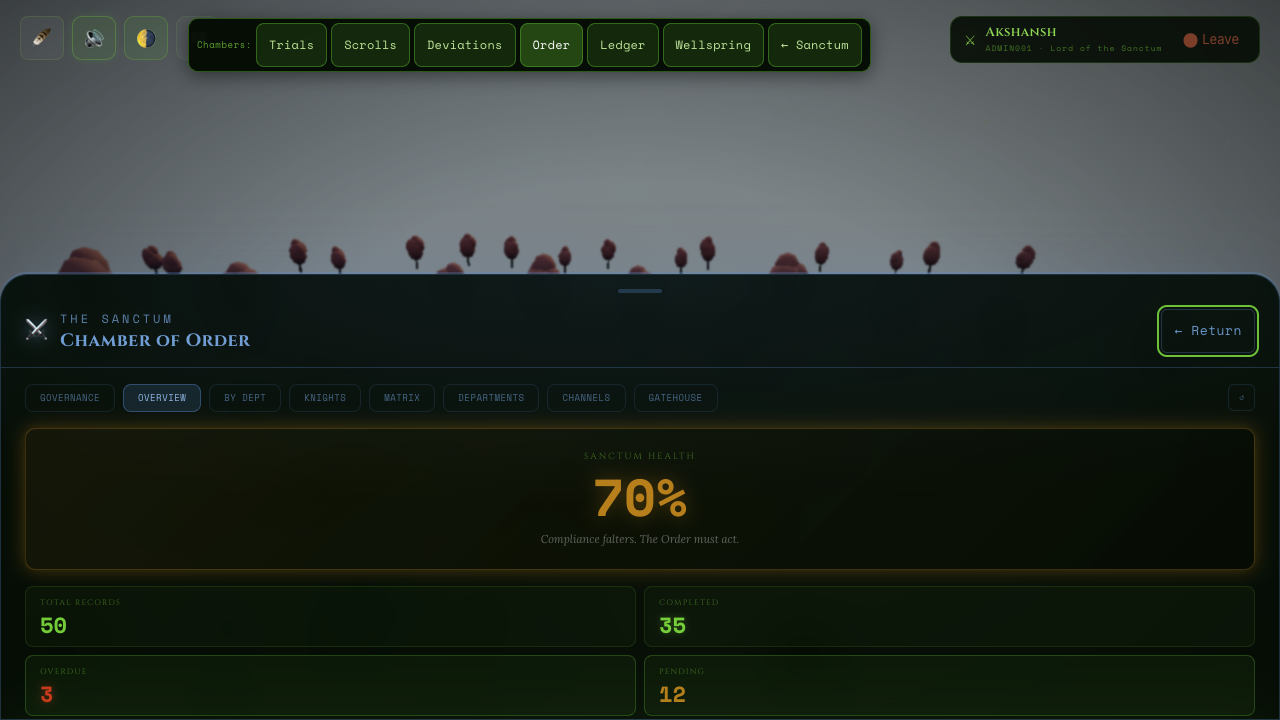
- Designations — some seals require an earned title (Department Head, Qualified Person, Pharmacovigilance), granted in Chamber of Order → Knights.
While any required Effectiveness Watch is unresolved, the sanctum's health cannot rise above 89. The last stretch of the forest's bloom is earned only by proof that the fix held — the world tells the truth.


VII. The Eternal Ledger – Audit Trail
"The Ledger forgets nothing. It is the memory of the Sanctum."
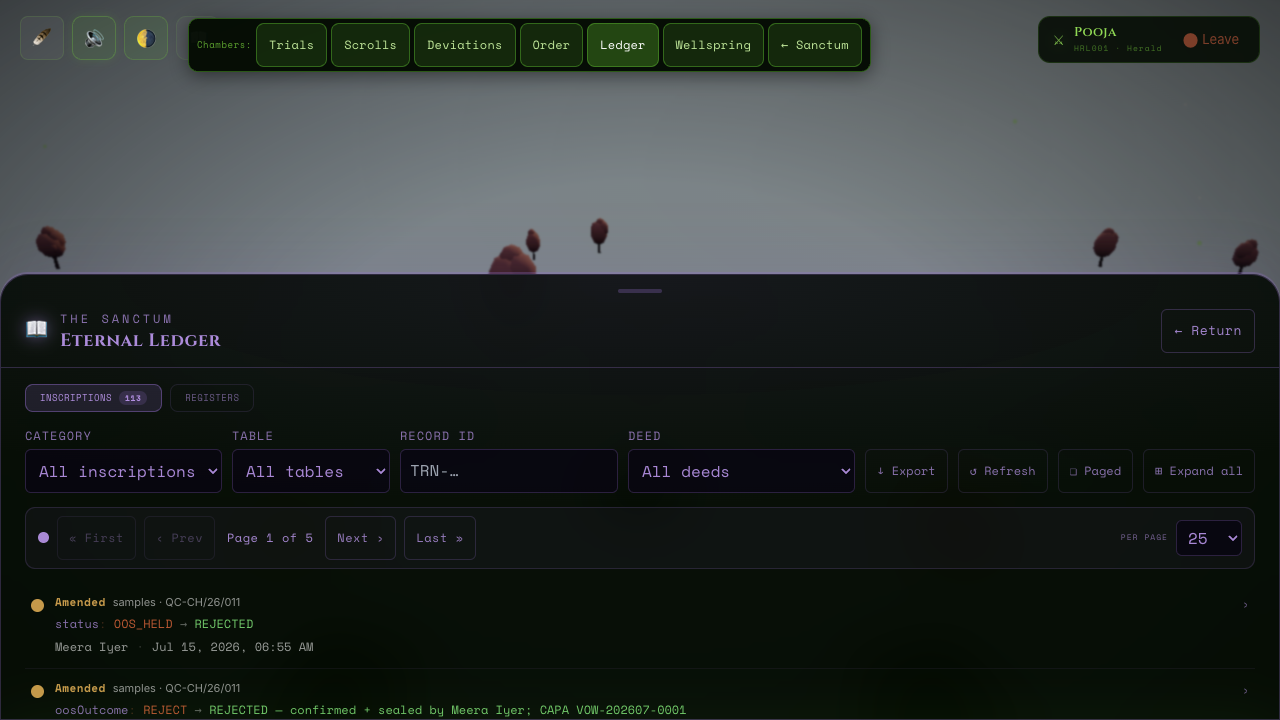
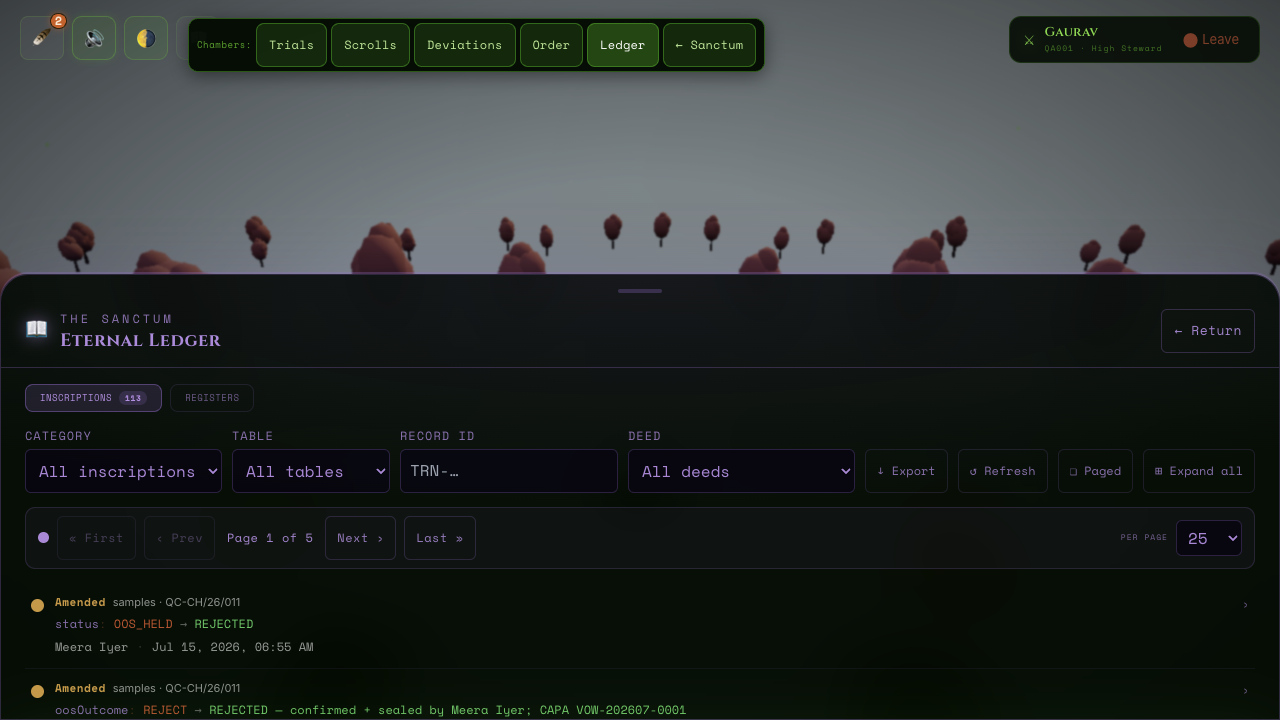
Every action in the system – every record created, every signature pressed, every password changed, every field edited – is written as an immutable row in the Eternal Ledger. Rows are never edited. They are never deleted. They accumulate forever. This is the requirement of 21 CFR Part 11 and GMP documentation control.
The Eternal Ledger is accessible to Lords, High Stewards, Knight Commanders, and Heralds (Auditors) – read-only for all. Only Guards (trainees) cannot access it. During a regulatory inspection, the auditor logs in as Herald (Pooja Nair) and has full read-only access to the complete audit trail without any risk of accidental modification.


VIII. Ravens – Notifications
"When a raven arrives, heed it. It carries news of the sanctum."
The 🪶 Raven Bell is the first button in the top-left toolbar (alongside sound and day/night). It is your notification centre. When a raven arrives, the bell shows an unread count. Click it to open the raven panel and read pending messages. Clicking any raven marks it as read. Like other peripheral chrome, the toolbar may fade when you are idle at the Arrival Grove – move the mouse or tab to it to bring it back.
A new Trial has been assigned to you. The SOP name, due date, and training type are included.
Your Trial is approaching its due date. Complete it before the deadline to maintain your Plant Score.
Your Trial has passed its due date without a completed signature. Immediate action required.
A Scroll you have previously trained on has been revised. Await reassignment or review the updated version.
Breach, vow, decree, and complaint deadlines — and their escalations — arrive as ravens. Actionable ones also land on your Duty Board, bottom-right.
On the first of each month, High Stewards receive review ravens summarising the open breaches and vows awaiting attention.
IX. The Plant Score
"A thriving sanctum is built by Knights who keep their oaths."
Every employee has a Plant Score – a number from 0 to 100 that represents their training compliance health. The overall Plant Score of the manufacturing unit is the aggregate of all individual scores. At the Arrival Grove, the health hero in the bottom-right shows this pulse: Guards see their personal score; administrators see sanctum-wide compliance. Click it to open your profile panel. This element stays vivid even when other chrome fades – it is the tamagotchi heartbeat of the Sanctum.
- Training completed before due date
- Assessment scored above threshold
- All assigned Trials are current
- Trial passes its due date incomplete
- Multiple overdue Trials accumulate
- Assessment score falls below threshold
A Plant Score above 85 is considered Audit Ready. Between 70–85 is Acceptable. Below 70 indicates compliance risk and will trigger urgent Ravens to the LORD and HIGH STEWARD.
X. Account Access
"Know your seal. Guard it."
Knight IDs and secret phrases are issued privately by the LORD or HIGH STEWARD when your account is created. This public Codex does not list passwords. If you are locked out or need a reset, contact the LORD or HIGH STEWARD – unlock events are recorded in the Eternal Ledger.
| Knight ID (example) | Name | Role |
|---|---|---|
| ADMIN001 | Akshansh Chaudhary | LORD |
| QA001 | Gaurav Kumar Singh | HIGH STEWARD |
| QA003 | Priya Sharma | KNIGHT COMMANDER |
| QA002 | Rajesh Kumar | Guard (QA) |
| MFG001 | Rahul Verma | Guard (MFG) |
| HRL001 | Pooja Nair | Auditor |
X-B. Role × Capability Matrix
"Generated from the code — it can never drift."
| Capability | LORD | QA_HEAD | QA_OFFICER | GUARD | HERALD |
|---|---|---|---|---|---|
| Trial Grounds — Training | |||||
View own trials See the training records (trials) assigned to you. view:own_training | ✓ | ✓ | ✓ | ✓ | ✓ |
View all trials See training records for every knight, across departments. view:all_training | ✓ | ✓ | ✓ | · | · |
Sign own trial Apply your electronic signature to complete your own training. sign:own_training | ✓ | ✓ | ✓ | ✓ | · |
Assign trials Assign training records to knights. assign:training | ✓ | ✓ | ✓ | · | · |
Configure training matrix Set the role × SOP retraining rules that drive assignments. configure:matrix | ✓ | ✓ | ✓ | · | · |
| Hall of Scrolls — Documents | |||||
Manage training modules Create and edit training modules (lessons + assessments) on scrolls. manage:modules | ✓ | ✓ | ✓ | · | · |
| Deviation Hollow — Breaches | |||||
Report a breach Capture a deviation sighting (Breach Orb voice/photo or the panel). report:deviation | ✓ | ✓ | ✓ | ✓ | · |
View all breach drafts See confirmed deviation drafts awaiting promotion. view:all_deviation_drafts | ✓ | ✓ | ✓ | · | · |
View all breaches See every deviation record, not just your own sightings. view:all_deviations | ✓ | ✓ | ✓ | · | · |
Process a breach Advance a deviation through containment, investigation and disposition. process:deviation | ✓ | ✓ | ✓ | · | · |
Categorize a breach Set Major/Minor category — this mints the deviation number. categorize:deviation | ✓ | ✓ | ✓ | · | · |
Approve / seal a breach Give the Head-QA verdict and closure seals on a deviation. approve:deviation | ✓ | ✓ | · | · | · |
| Deviation Hollow — Market Complaints | |||||
View all complaints See every market complaint record. view:all_complaints | ✓ | ✓ | ✓ | · | · |
Manage complaints Acknowledge, classify, and investigate market complaints. manage:complaint | ✓ | ✓ | ✓ | · | · |
Approve / seal a complaint Give the Head-QA verdict and closure seals on a complaint. approve:complaint | ✓ | ✓ | · | · | · |
| Chamber of Order — CAPA (Vows) | |||||
View all vows See every CAPA (corrective/preventive vow) on the candle wall. view:all_capas | ✓ | ✓ | ✓ | · | · |
Manage vows Raise CAPAs, propose actions, and record completions. manage:capa | ✓ | ✓ | ✓ | · | · |
Approve / seal a vow Apply the dual approval and verification seals on a CAPA. approve:capa | ✓ | ✓ | · | · | · |
| Chamber of Order — Change Control (Decrees) | |||||
View all decrees See every change-control decree. view:all_decrees | ✓ | ✓ | ✓ | · | · |
Manage decrees Raise decrees, propose actions, and record implementation. manage:decree | ✓ | ✓ | ✓ | · | · |
Approve / seal a decree Apply the dual approval and review seals on a decree. approve:decree | ✓ | ✓ | · | · | · |
| Chamber of Order — Governance | |||||
Manage knights Admit, edit, deactivate, and unlock knight accounts. manage:users | ✓ | ✓ | · | · | · |
Void records Void or waive records (audit-trailed, forward-only). void:records | ✓ | ✓ | · | · | · |
Manage the Gatehouse Provision modules per instance/role/department/knight (Law 10). manage:gatehouse | ✓ | · | · | · | · |
| Eternal Ledger — Audit | |||||
View the Eternal Ledger Read the immutable audit trail and computed registers. view:audit_trail | ✓ | ✓ | ✓ | · | ✓ |
| The Wellspring — LIMS | |||||
Receive a sample Register a sample into the receiving register — mints the QC sample number, records source and discipline, opens custody. receive:sample | ✓ | ✓ | ✓ | ✓ | · |
View the receiving register See the Sample Orbs in The Wellspring and their lifecycle state. view:samples | ✓ | ✓ | ✓ | ✓ | ✓ |
Read the STP master See the product-wise Standard Testing Protocols, their versions, and the acceptance criteria a result is judged against. view:stp | ✓ | ✓ | ✓ | ✓ | ✓ |
Author an STP revision Draft a new version of a Standard Testing Protocol (a controlled change governed by Change Control) — awaits an e-signed approval before it takes force. manage:stp | ✓ | ✓ | ✓ | · | · |
Check an STP revision Mark a drafted STP version as checked — the middle tier of the real Prepared -> Checked -> Approved authorship (gap #6), required before it can be sealed. The checker must be a different person from the preparer. check:stp | ✓ | ✓ | ✓ | · | · |
Approve an STP revision Seal a drafted STP version with the Royal Seal, making it the effective version and superseding the prior one. Requires the revision to already be checked, by a third distinct person from both the preparer and the approver. approve:stp | ✓ | ✓ | · | · | · |
Distribute a sample Assign a received sample to an analyst’s worklist (the orbs at their bench) — moves it from the Intake Pool to the Benches. distribute:sample | ✓ | ✓ | ✓ | ✓ | · |
Enter a result Record a controlled manual result against the bound STP — judged PASS / OOS at the point of entry, entered once, never re-transcribed. enter:result | ✓ | ✓ | ✓ | ✓ | · |
Review a sample Perform the independent second-person review of a sample’s entered results (RESULTS_COMPLETE → UNDER_REVIEW). The reviewer cannot be an analyst who entered a result on that sample (segregation of duties). review:result | ✓ | ✓ | ✓ | · | · |
Approve a sample Seal the disposition with the Royal Seal (UNDER_REVIEW → APPROVED). The approver is a distinct third person — not the reviewer and not an enterer. approve:result | ✓ | ✓ | · | · | · |
Issue the Certificate of Analysis E-sign and issue the deterministically-generated Certificate of Analysis (APPROVED → REPORTED) — the COA is generated from the approved results, never typed. sign:coa | ✓ | ✓ | · | · | · |
View an OOS/OOT event See an out-of-spec / out-of-trend quality event — one record on the shared Investigation spine, surfaced as a pale-blue orb in The Wellspring (QC) and in the Deviation Hollow register (QA). view:oos | ✓ | ✓ | ✓ | ✓ | ✓ |
Seal the OOS verdict / authorise a retest Seal the lab-investigation verdict on an OOS event and, on assignable lab error, authorise the retest (OOS_HELD → IN_TEST). The Knight Commander tier; the resolver cannot be an analyst who entered the failing result (segregation of duties). resolve:oos | ✓ | ✓ | ✓ | · | · |
Confirm the OOS / reject the sample Confirm a genuine out-of-specification result and reject the sample (OOS_HELD → REJECTED) under the second of the dual seal — the High Steward tier. Spawns a CAPA on the shared spine through the OS/OT source type. confirm:oos | ✓ | ✓ | · | · | · |
Maintain LIMS register master data Create, deactivate, or check (second-person verify) instrument/working-standard/mobile-phase/column register records — custodian-only master-data maintenance, never routed through Decrees. manage:lims-registers | ✓ | ✓ | ✓ | · | · |
Log LIMS register usage Log usage/consumption against an existing instrument, working standard, or column during ARDS entry — an analyst’s own bench work, distinct from maintaining the register itself. log:register-usage | ✓ | ✓ | ✓ | ✓ | · |
View LIMS result trend View the graphical trend of past reportable results for a test parameter, with computed Shewhart control limits — the real OOT source. view:lims-trend | ✓ | ✓ | ✓ | ✓ | ✓ |
View the ARDS report See every ARDS compiling live on the web view, and generate its raw-data reference-copy report on demand. The analyst bench does not hold this — the ARDS is not the analyst’s document. view:ards-report | ✓ | ✓ | ✓ | · | ✓ |
Checked By (ARDS stage) The department master/HOD’s per-test review mark on a compiling ARDS in the web view — alongside, never instead of, the sample-level review/approval seals. check:ards-result | ✓ | ✓ | · | · | · |
Read the master logs Read the master Sterility Testing Log (spanning all products) and the controlled-area Entry/Exit log — both generated views over existing results and instrument usage, never a stored register of their own. view:lims-logs | ✓ | ✓ | ✓ | ✓ | ✓ |

This matrix shows the maximum each role may ever do, exactly as the code enforces it (derived from PERMISSIONS in src/lib/permissions.ts). The Gatehouse (Law 10, src/lib/provisioning.ts) can further restrict any capability for a given instance, role, department, or knight — it never grants beyond this table.
XI. The Laws of the Sanctum – GMP Compliance
"These are not suggestions. They are the binding laws of the sanctum."
Never share your login credentials with anyone. Not a colleague, not a supervisor. Your electronic signature is equivalent to your handwritten signature in a court of law. Sharing credentials constitutes fraud under 21 CFR Part 11.
When you re-enter your password to complete a Trial, you are providing a legally binding electronic signature. You are asserting: "I have read this document. I understand it. The training was completed as described." Do not sign until you have genuinely completed the training.
All records in the Sanctum are permanent. Training records, audit entries, SOP versions – nothing is removed. Even voided or superseded records remain visible in the Ledger. This is required by GMP regulations. Do not expect deletion.
Overdue trainings are a regulatory compliance deficiency. An inspector who finds overdue training records can issue a 483 observation or a warning letter. Treat due dates as hard deadlines.
For any physical GMP document (batch records, logbooks, paper SOPs), errors are corrected with a single line through the mistake – never correction fluid, never obliteration. The correction must show the original entry, be initialled and dated, and include a brief reason for the change.
If you notice any error in the system – a training record attributed to the wrong person, a timestamp that looks incorrect, access you should not have – report it immediately to the LORD or HIGH STEWARD. Do not attempt to work around it. System integrity is everyone's responsibility.